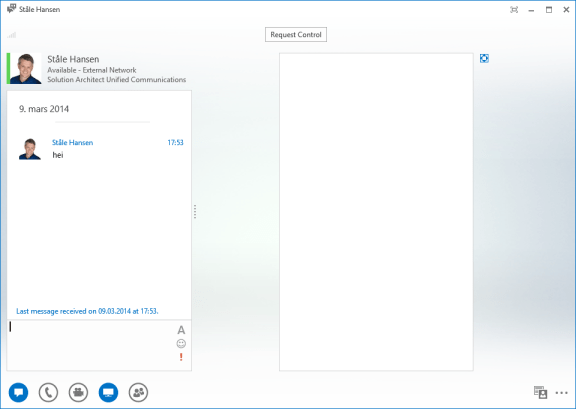
On a couple of Windows 8 computers I have seen the issue where I receive only white screen when someone shares their desktop with me in Lync 2013.
This applies to
- Fresh installed Windows 8 computer
- One year old Windows 8 computer
- Lync Peer to Peer collaboration
- The issue is consequent so it is not a specific deployment issue
- Lync conference
- All other attendees can see the screen fine so it is not an appsharing issue
- The issue is client related so it will be present for Lync Online as well as Lync on-premises


 January 24th 2013 I had the honour to speak at the
  For the past six months I have used a Samsung Series 7 slate with Windows 8 installed. I have to say, a Windows 8 slate like this Samsung or the Microsoft Surface will change how you use and relate to your PC. I will try in this article to share what I have experienced using this form factor actively in my daily life.
  A feature not present in the Lync client is the ability to sign in with different accounts. In the native Lync client you can only be signed in with only one identity and there is no easy way to switch identities. As a consultant I implement Lync for a lot of different customers and I need to sing in as them to test features. You probably experience that scenario if you are a Lync administrator as well, testing different settings for different types of users. For Lync 2010 there was a tool developed by
  msunified.net